The site is static Astro with no UI framework, so everything below is plain TypeScript, CSS, a few PNGs, and three MP3s.
Step 1: Study the move, then storyboard it
Pin down what the move actually looks like in the game before writing any code. Step through gameplay footage frame by frame, then write the move down as beats in milliseconds. Every later decision checks back against that table.
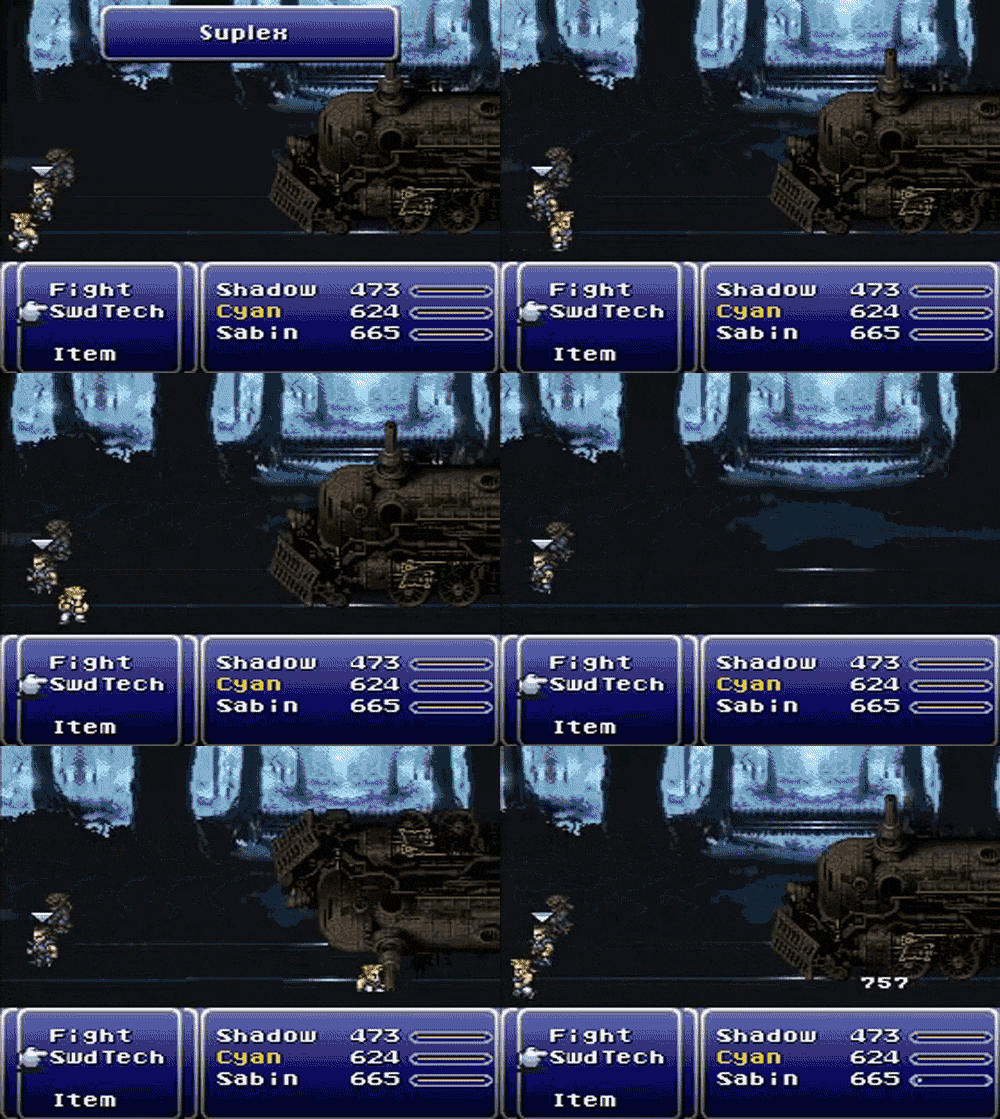
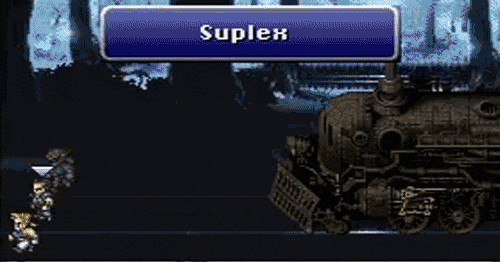
Frame 0: the Suplex window 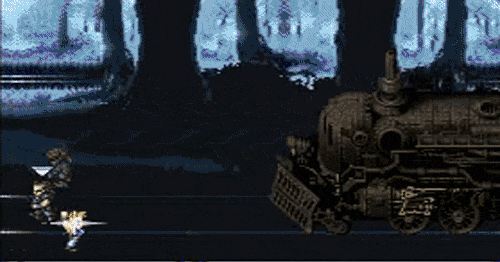
Frame 14: a white flare builds at Sabin's fists 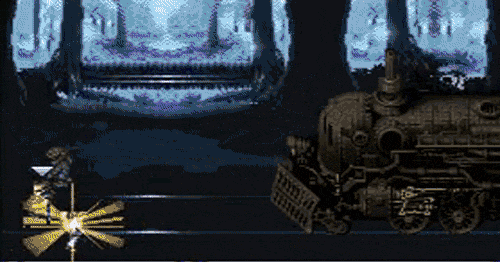
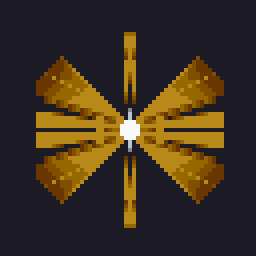
Frame 17: the gold burst, mirrored around its center 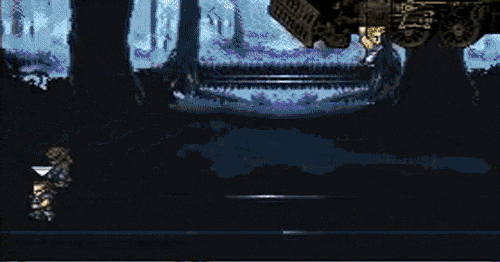
Frame 30: up and out of frame with the train 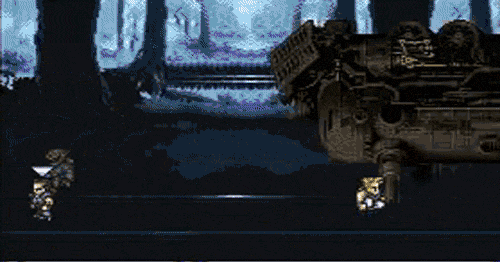
Frame 40: riding the train down from underneath 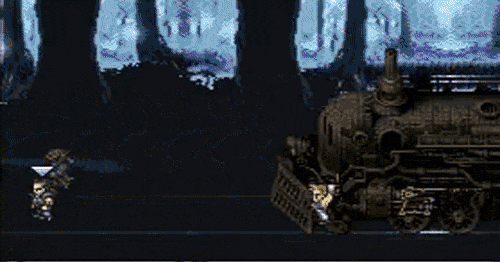
Frame 44: the landing
| ms | Beat |
|---|---|
| 0 | Sabin slides in from the left on a slight arc |
| 400 | "Suplex" window and Blitz sound; a white flare builds at his fists |
| 800 to 1000 | Gold burst plays out |
| 1000 | Hop onto the photo |
| 1300 | Jump sound; he rises out of the viewport with the photo, turning it in 90° steps |
| 1900 | Pixels start falling into the empty slot |
| 2050 | He rides the pixelated photo back down from underneath, upside down |
| 2400 | Landing sound, two-step screen shake, kneel, walk out left |
| 2800 | Achievement toast |
The pieces:
- An input detector shared with the Konami code
- A sprite overlay driven by one timeline
- Sound scheduled on the audio clock
- A pixelated photo generated at build time
Step 2: Detect the input
Keyboard and touch both reduce to one vocabulary: up, down, left, right, a, b, x, y, tap. Keys go through a lookup table. A touch is classified when the finger lifts:
- 10px or less within 300ms is a tap
- 40px or more is a swipe, in the direction of whichever axis moved more
- Anything in between is ignored, so a slow scroll doesn't count
/** Minimum travel (px) for a swipe; maximum travel and time for a tap. */
const SWIPE_MIN = 40;
const TAP_MAX = 10;
const TAP_MS = 300;

document.addEventListener('touchend', (event) => {
  const touch = event.changedTouches[0];
  if (!start || !touch) return;
  const dx = touch.clientX - start.x;
  const dy = touch.clientY - start.y;
  const distance = Math.max(Math.abs(dx), Math.abs(dy));

  if (distance <= TAP_MAX && event.timeStamp - start.time <= TAP_MS) {
    // Taps on links and buttons do their normal job and don't count.
    const target = event.target instanceof Element ? event.target : null;
    if (!target?.closest('a, button, input, select, textarea, summary, [tabindex]')) push('tap');
  } else if (distance >= SWIPE_MIN) {
    // Direction of finger travel: swiping up moves the finger up.
    push(Math.abs(dy) > Math.abs(dx) ? (dy < 0 ? 'up' : 'down') : dx < 0 ? 'left' : 'right');
  }
  start = undefined;
}, { passive: true });
Filter out input that isn't meant for you:
- Key repeats, and keys pressed with Ctrl, Alt, or Cmd
- Typing in form fields
- Taps on links and buttons
Don't call preventDefault, so arrows and swipes still scroll.
Matching is a rolling buffer with a suffix check. Append each input, trim the buffer to the sequence length, and fire when the buffer ends with the code.
function endsWith(buffer: Input[], sequence: Input[]) {
  const tail = buffer.slice(-sequence.length);
  return tail.length === sequence.length && tail.every((input, i) => input === sequence[i]);
}

export function onSequence({ keyboard, touch }: Sequences, onMatch: () => void) {
  let buffer: Input[] = [];
  const length = Math.max(keyboard.length, touch.length);

  const push = (input: Input) => {
    buffer = [...buffer, input].slice(-length);
    if (endsWith(buffer, keyboard) || endsWith(buffer, touch)) {
      buffer = [];
      onMatch();
    }
  };
  // The keydown and touch listeners call push().
}

// The Suplex: X Y down up, or tap, tap, swipe down, swipe up.
onSequence({ keyboard: ['x', 'y', 'down', 'up'], touch: ['tap', 'tap', 'down', 'up'] }, onUnlock);
A stepwise "expect the next key" matcher breaks on X X Y ↓ ↑: the second X resets it. A suffix check always looks at the latest inputs, so mistakes fix themselves. There's no timeout either, so the code can be entered slowly, like in the game.
Step 3: Cut the sprites
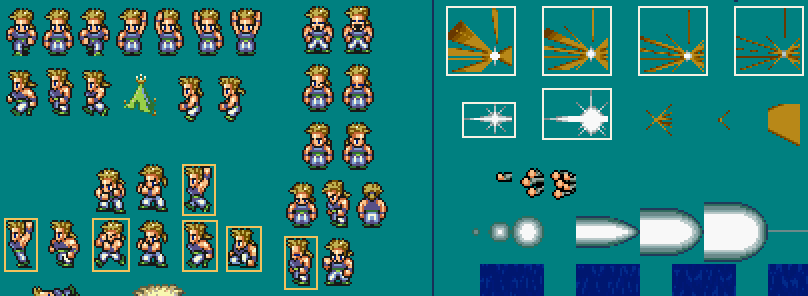
- Cut six Sabin frames (walk, walk, stance, hop, lift, kneel) into one strip of 16x24 cells, feet on the baseline, with the teal
#008080background keyed to transparent - Show a frame by shifting
background-position, and flip him withscaleX(-1)when he faces right - Scale at whole multiples (4x, 3x below 768px) with
image-rendering: pixelated
- walk
- walk
- stance
- hop
- lift
- kneel
sabin.png, at 4x./** Cells in sabin.png (16x24 each, facing left). */
const FRAME = { walk1: 0, walk2: 1, stance: 2, hop: 3, lift: 4, kneel: 5 };
const Z = innerWidth < 768 ? 3 : 4; // whole-pixel scale
const SW = 16 * Z;
const drawSabin = (frame: number, x: number, y: number, facingRight: boolean) => {
sabin.style.backgroundPosition = `${-frame * SW}px 0`;
place(sabin, x, y, facingRight ? ' scaleX(-1)' : '');
};.suplex-sabin {
background-image: url('/sprites/suplex/sabin.png');
background-repeat: no-repeat;
image-rendering: pixelated;
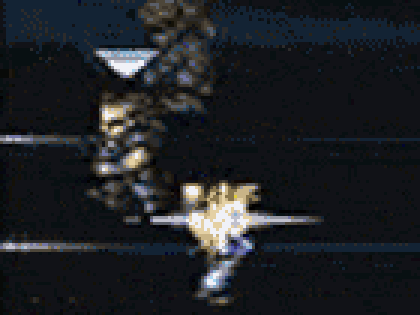
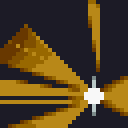
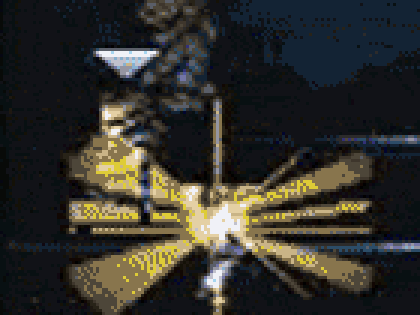
}The Blitz needed one more step. The sheet holds only one side of each burst. Gameplay frame 17 shows the game mirrors it around its bright point, with a ray straight up and straight down. Each of the six frames (two white flares, four gold bursts) is mirrored four ways around that point, then cleaned up wherever mirroring doubled the vertical ray.
Step 4: Run everything off one timeline
The animation keeps no step-by-step state. render(elapsed) computes the whole scene from the elapsed time:
- the current beat
- Sabin's frame and position
- the shine, window, debris, and photo copies
- the shake offset
Time is quantized to 50ms steps, and positions snap to a sprite-pixel grid anchored on the photo. That's the choppy SNES feel, and it's why the photo lands exactly in its slot.
const STEP = 50;

// Snap to a sprite-pixel grid anchored on the photo, so the
// flying photo starts and lands exactly on its slot.
const snap = (v: number) => Math.round(v / Z) * Z;
const snapX = (v: number) => P.x + snap(v - P.x);

const render = (elapsed: number) => {
  const t = Math.floor(elapsed / STEP) * STEP; // hard 50ms steps
  if (t < beats.blitz) {
    const p = t / beats.blitz;
    drawSabin(walk, lerp(offLeft, standX, p), floorTop - Math.sin(Math.PI * p) * 4 * Z, true);
  } else if (t < beats.jump - 300) {
    drawSabin(FRAME.stance, standX, floorTop, true);
    // ...and the shine frame for this step
  }
  // ...the hop, lift, ride down, kneel, and walk out

  if (t >= beats.land && !landed) {
    landed = true;
    land(); // the one side effect: swap the photo
  }
};

// animateSuplex drives the scene on the page; the scrubber below calls render(t) directly.
const start = performance.now();
const tick = (now: number) => {
  const elapsed = now - start;
  if (elapsed >= beats.done) return scene.finish(); // land if needed, remove the overlay
  scene.render(elapsed);
  requestAnimationFrame(tick);
};
requestAnimationFrame(tick);
Drag through the timeline. This stage runs the same render function as the Bio page, at a smaller scale.


Why it holds up:
- A dropped frame can't corrupt anything; the next frame draws the right moment
- Any instant can be rendered alone, so it's testable
- Sound reads the same beat table, so timing has one source of truth
Supporting choices:
- An overlay the size of the document, in document coordinates, so scrolling doesn't knock it off the photo
- The flying photo is a clone, and the real slot stays reserved, so the layout never shifts
- Debris colors are sampled from the pixel photo through a canvas
- Swapping the photo is the only side effect, fired once on the landing beat
Step 5: Sync the sound
Create the Web Audio context inside the key press or tap, since browsers only allow audio after a gesture. Then schedule all three sounds up front against ctx.currentTime. Timers drift and audio clock times don't, so each sound lands on its frame. Sprites and sounds preload when the browser is idle, so the first run starts on time.
// Runs inside the key press or tap, so the browser allows audio.
const sfx = await createSfx(Object.values(SOUND));
if (sfx) {
  const at = (ms: number) => sfx.now() + ms / 1000; // seconds on the audio clock
  sfx.play(SOUND.blitz, at(TIMING.blitz));
  sfx.play(SOUND.jump, at(TIMING.jump));
  sfx.play(SOUND.land, at(TIMING.land));
}

// In createSfx: each sound starts at its scheduled time, not on a timer.
play: (src, at) => {
  const node = ctx.createBufferSource();
  node.buffer = loaded.get(src);
  node.connect(output);
  node.start(at);
},
Step 6: Pixelate the photo

A build-time sharp script shrinks the photo to 32x32. It then picks the photo's own best 16 colors and rounds each to 15-bit SNES color. Mapping to the site's 16-color palette came first, and it lost the face. The page scales the result back up with image-rendering: pixelated, and CSS rests it upside down.
const small = sharp(SRC).resize(32, 32, { fit: 'cover', kernel: 'lanczos3' }).removeAlpha();

// The photo's own best 16 colors...
const quantized = await small.png({ palette: true, colours: 16, dither: 0 }).toBuffer();
const { data } = await sharp(quantized).removeAlpha().raw().toBuffer({ resolveWithObject: true });
// ...rounded to 5 bits per channel, expanded back to 8 the way SNES emulators do.
const pixels = Buffer.from(data.map((v) => (v & 0xf8) | (v >> 5)));
Step 7: Keep page state on the DOM
| State | Where | What it does |
|---|---|---|
running | closure | Ignores input mid-animation, so mashing can't stack runs |
data-suplexed | photo <figure> | CSS shows the real or pixel image |
data-suplex-lifted | photo <figure> | Hides the slot image while the photo is in the air |
data-suplex-landed | photo <figure> | First landing only: the toast, and the strip that links here |
Step 8: Respect reduced motion, then test
- Under reduced motion, the sounds, swap, and toast keep their timing with no movement
- Headless Chrome captures frames at fixed timestamps. Stub
requestAnimationFramewith a 16ms timer andAudioContextwithundefinedso timing is deterministic, then dispatchkeydownevents for the code - Then check on real devices for speed, audio sync, and touch
How this page unlocked
The first landing reveals the "Unlocked: Making of the Blitz" strip under the nav with the same Bayer dither dissolve as the theme switch. Nothing is stored, so it's gone on reload. The page is unlisted and noindex.
export function revealSecretNav() {
  const item = document.querySelector<HTMLElement>('[data-secret-nav]');
  const link = item?.querySelector('a');
  if (!item?.hidden || !link) return;
  item.hidden = false;
  // 16 Bayer dither levels over 800ms, the same keyframes as the theme switch.
  link.classList.add('nav__unlock--reveal');
  link.addEventListener('animationend', () => link.classList.remove('nav__unlock--reveal'), { once: true });
}
Credits
- Final Fantasy VI, its gameplay, sprites, and sounds are © Square Enix
- The sound effects come from the FF6 Hacking wiki sound list
- The Sabin sprites and Blitz frames are cut from the Sabin sheet on The Spriters Resource, ripped by ?UNKNOWN?, with the Blitz extras by Tonberry2k
Bonus round
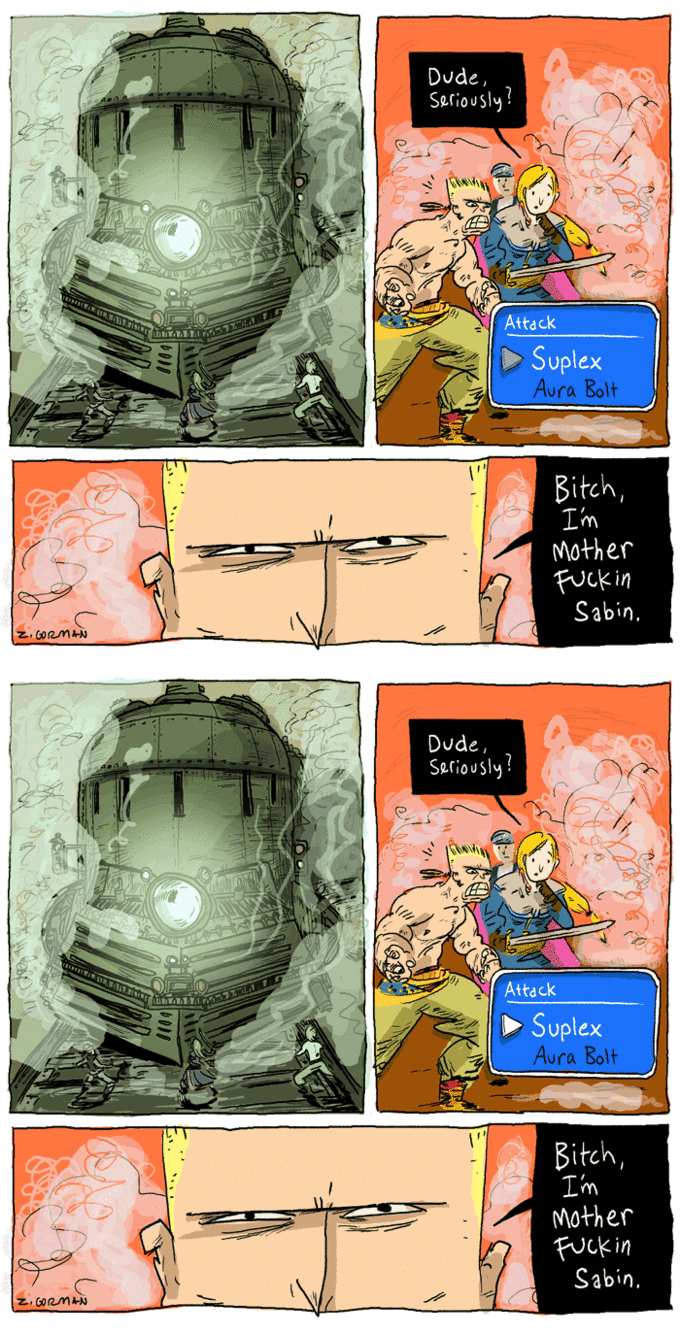
You read all the way down, so here's your reward: Zac Gorman's take on the Ghost Train, from his comic blog Magical Game Time.